The Vormox blog
Guides, deep dives and product news on automating Proxmox VE at scale.
Blog posts
How to Install Windows 11 on Proxmox VE (Step-by-Step Guide)
Windows 11 needs UEFI, a virtual TPM, and VirtIO drivers that Proxmox doesn't add by default. This guide covers the exact System tab settings, loading storage drivers mid-install, and the two errors nearly every beginner hits first.
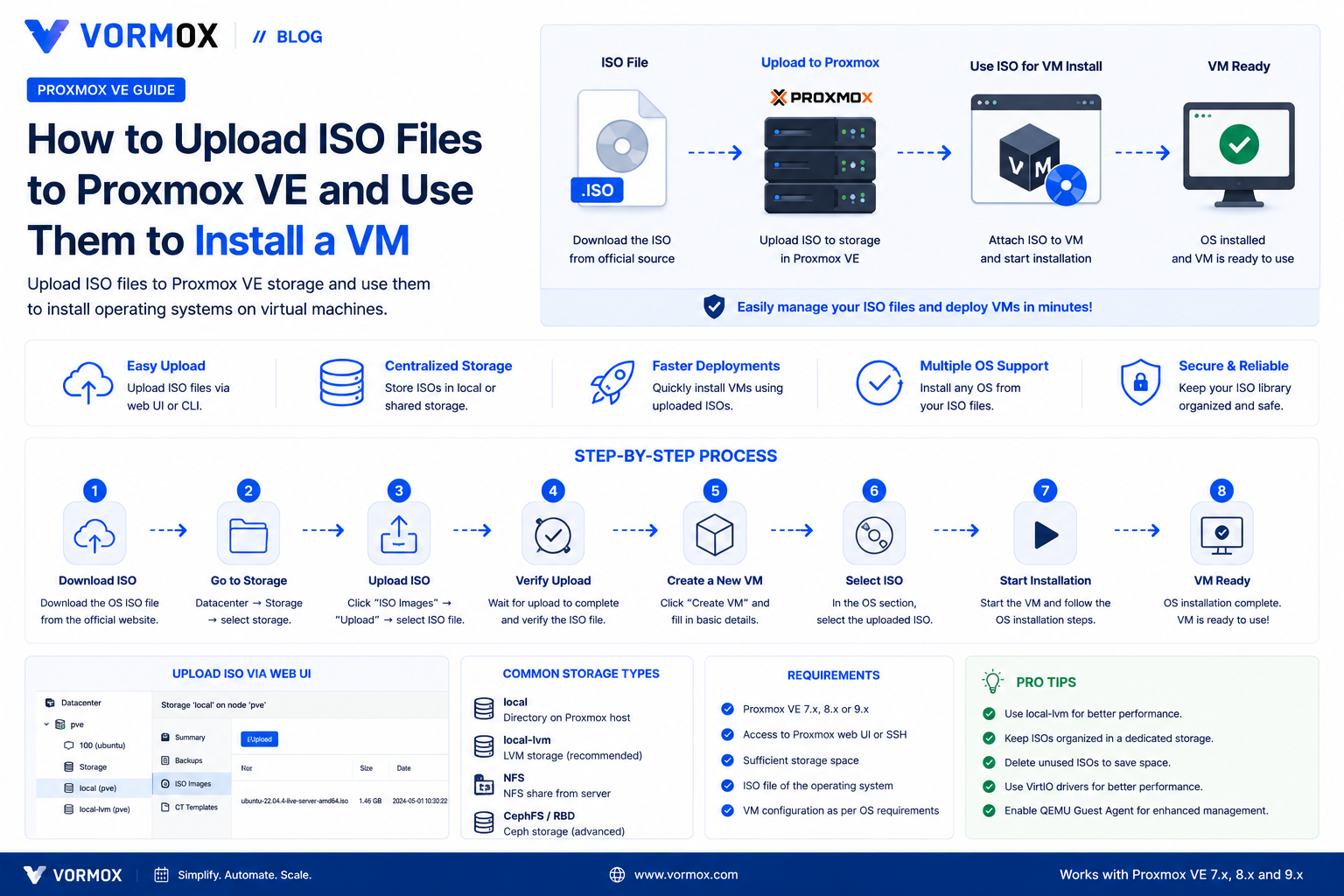
How to Upload ISO Files to Proxmox VE (And Use Them to Install a VM)
Your Create VM wizard's ISO dropdown is empty and you're stuck before you've started. Here are three reliable ways to get an ISO onto Proxmox VE, from browser upload to Download from URL to scp.
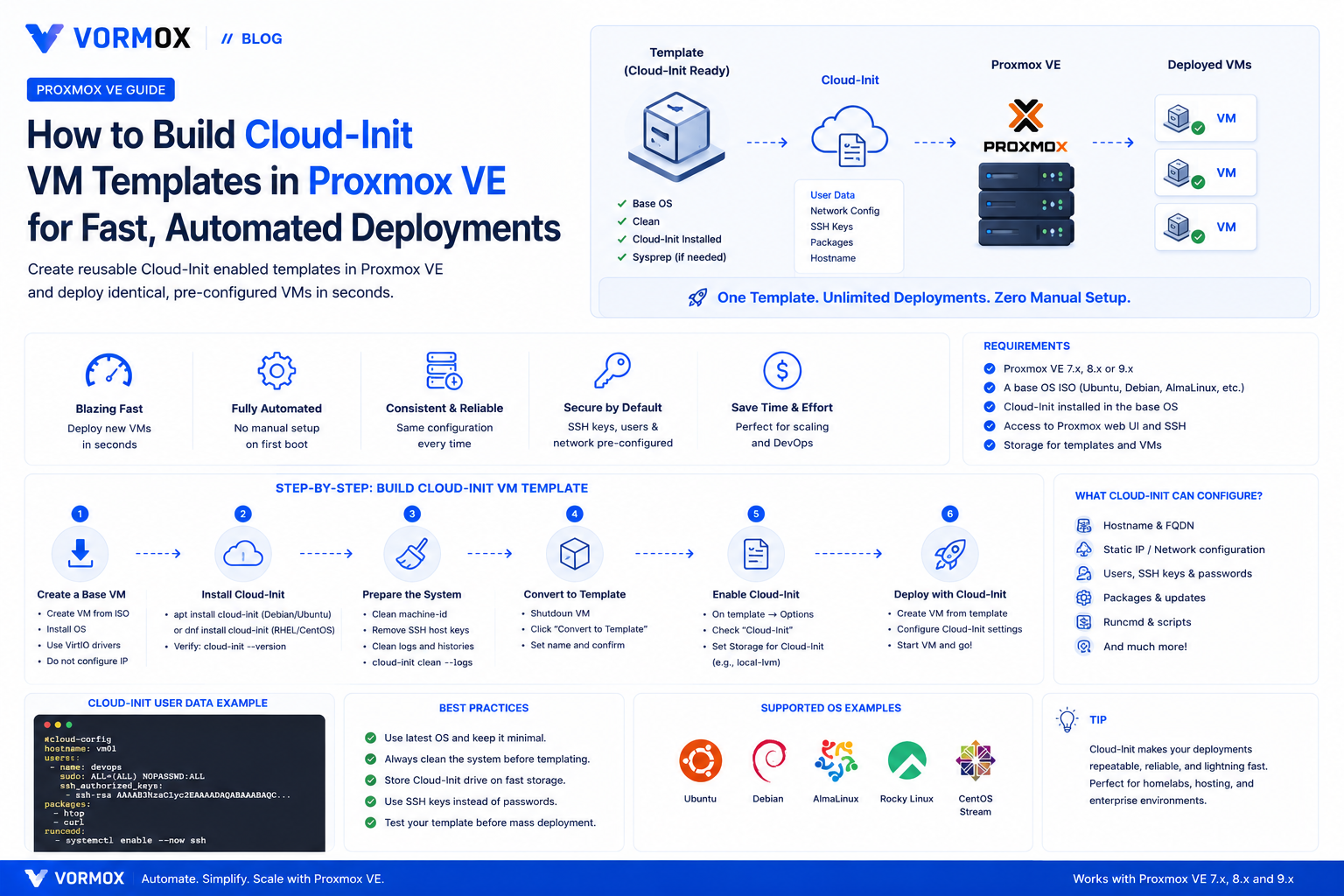
How to Build Cloud-Init VM Templates in Proxmox VE for Fast, Automated Deployments
Stop installing operating systems by hand. Learn how to turn a cloud image into a reusable Proxmox VE template with cloud-init, then clone fully configured VMs in seconds with automatic hostname, network, and SSH key provisioning.
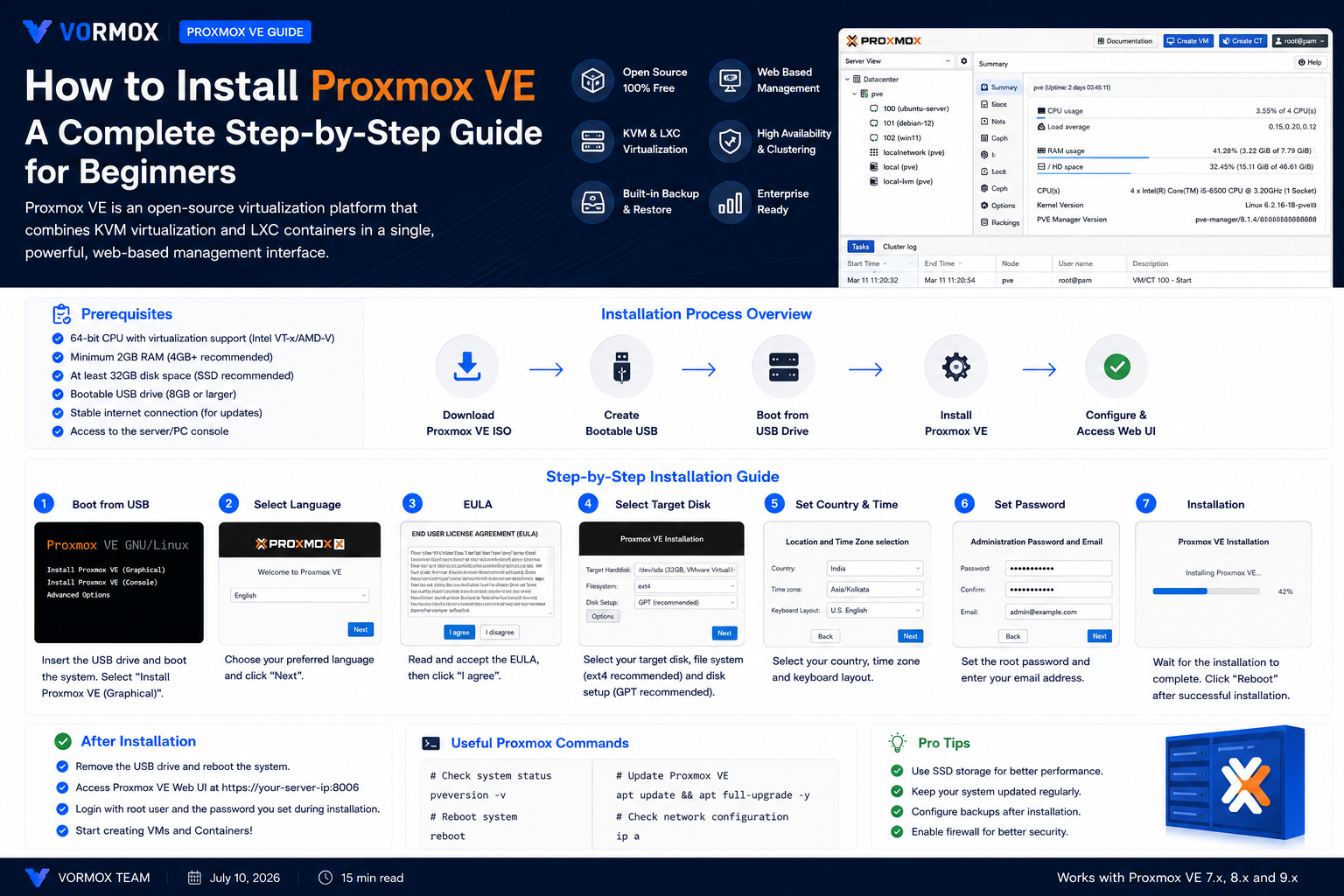
How to Install Proxmox VE: A Complete Step-by-Step Guide for Beginners
New to Proxmox? This step-by-step guide covers everything from downloading the ISO to logging into the web interface for the first time, including the BIOS settings and USB-writing mistakes that trip up beginners.
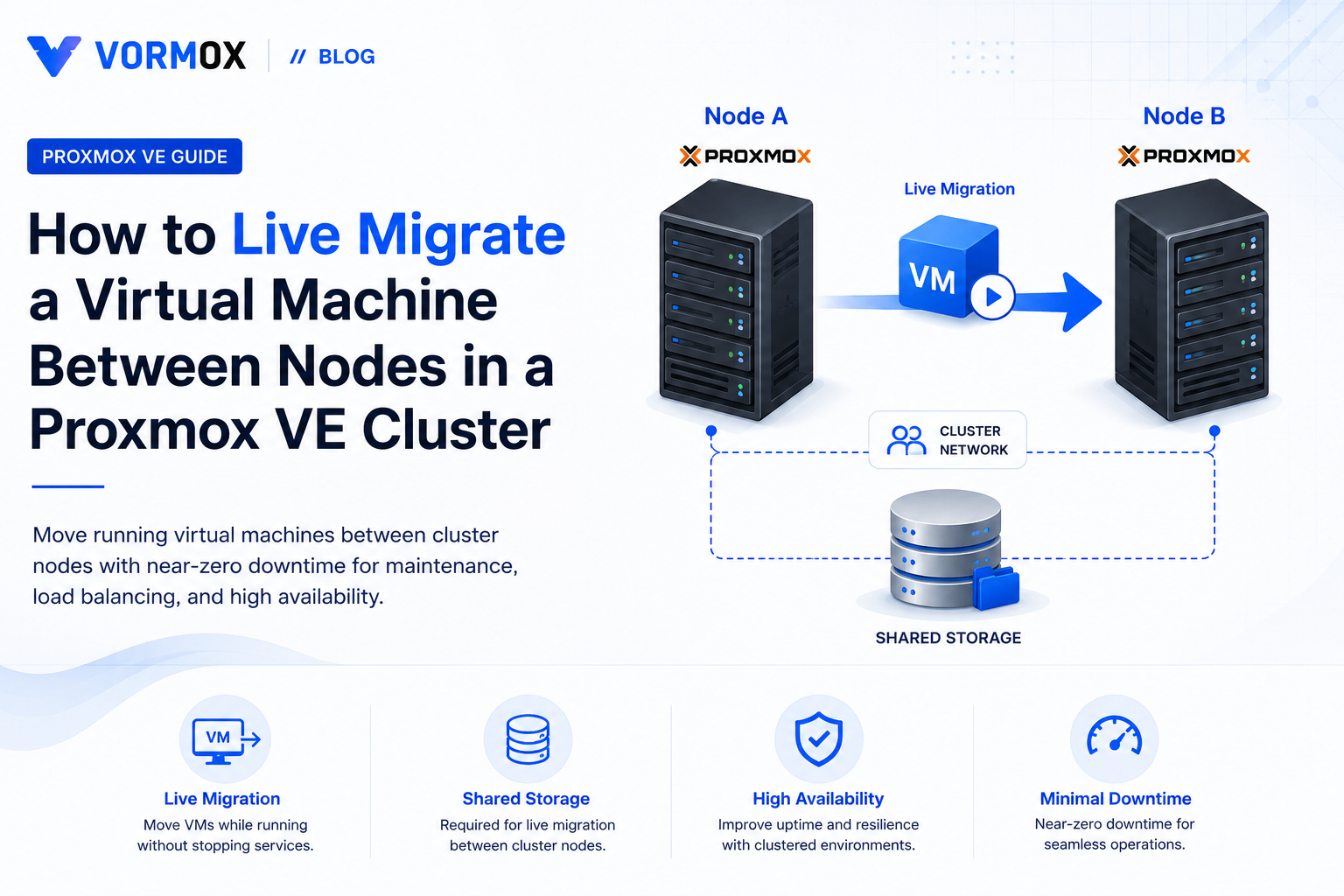
How to Live Migrate a Virtual Machine Between Nodes in a Proxmox VE Cluster
Learn how live migration works in Proxmox VE, what your cluster needs before it will work, and how to move running VMs between nodes from the web UI and CLI without downtime.
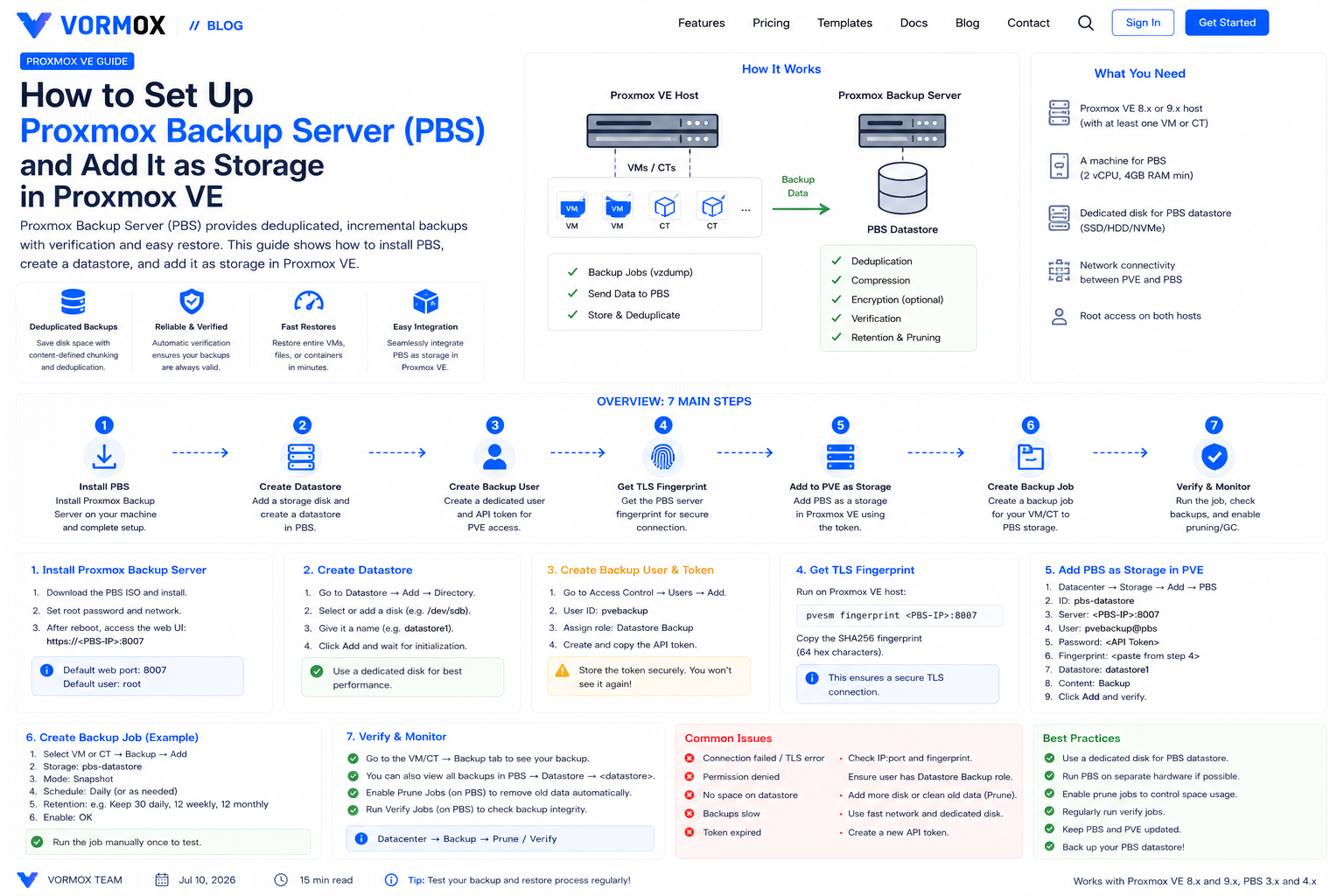
How to Set Up Proxmox Backup Server (PBS) and Add It as Storage in Proxmox VE
Install Proxmox Backup Server, create a datastore and scoped-down API token, connect it to Proxmox VE, and run your first deduplicated backup and restore.
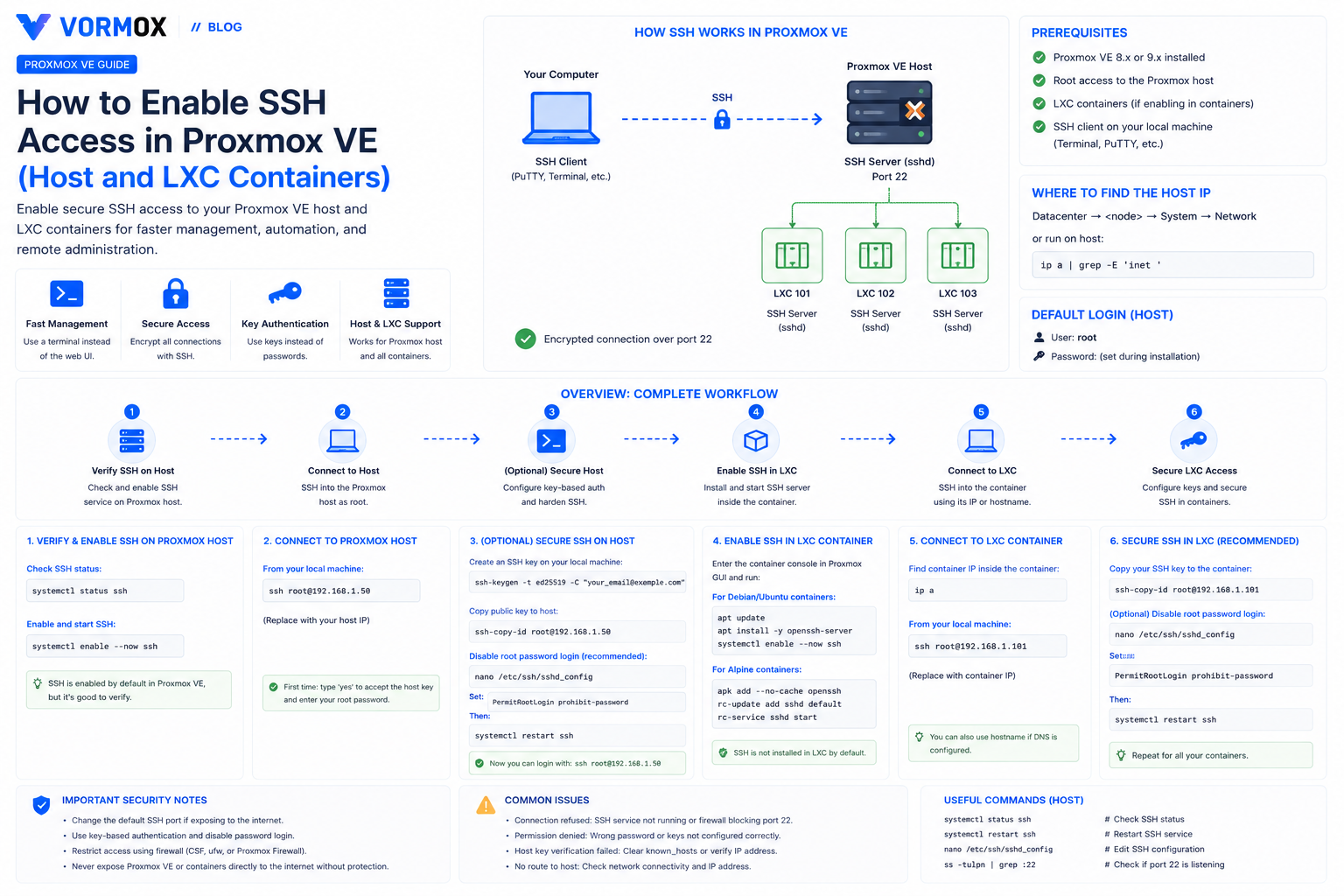
How to Enable SSH Access in Proxmox VE (Host and LXC Containers)
SSH already works on a fresh Proxmox VE host, but LXC containers don't come with it. Here's how to connect to both, lock down root login, and fix the errors people hit along the way.
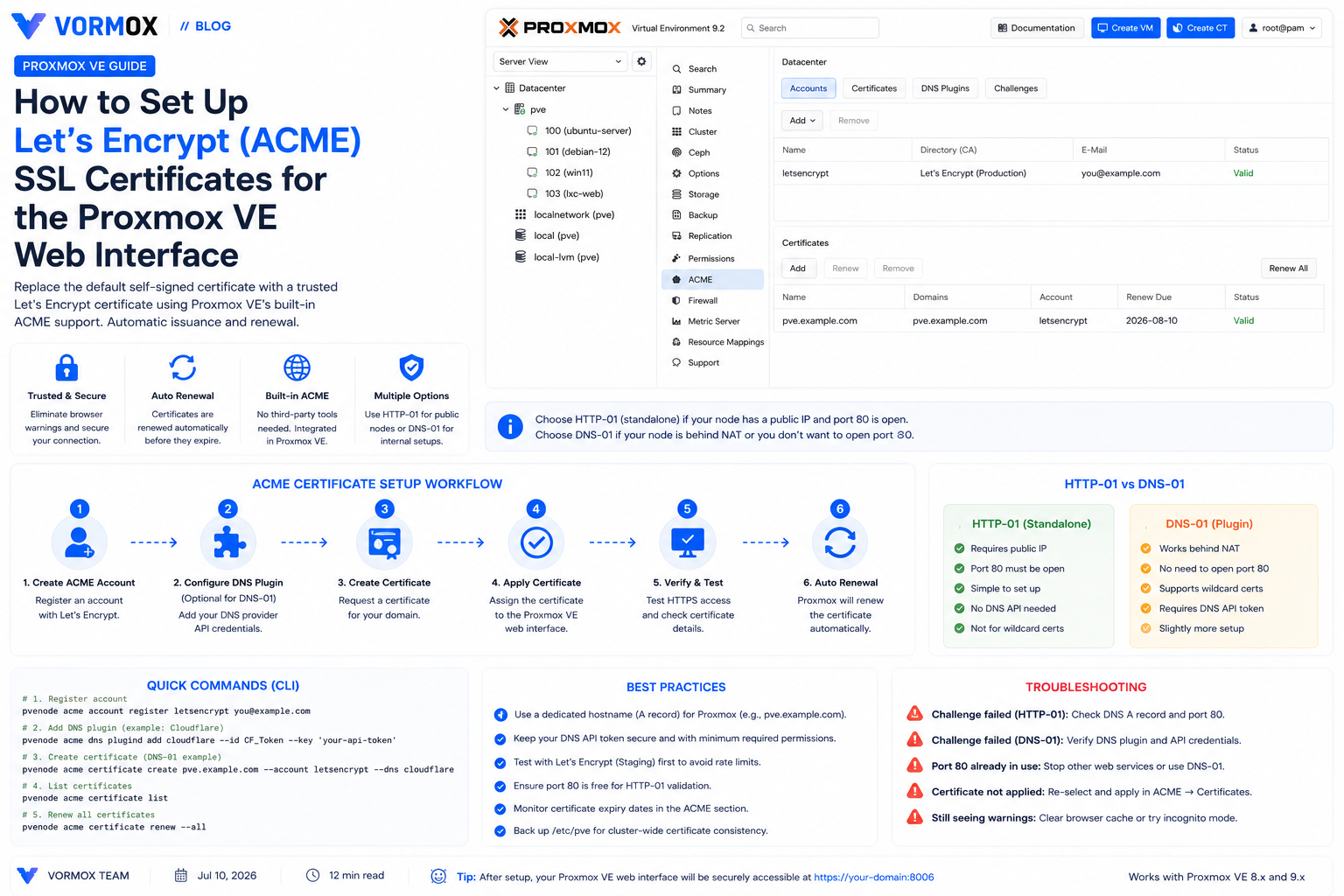
How to Set Up Let's Encrypt (ACME) SSL Certificates for the Proxmox VE Web Interface
Proxmox VE's web UI ships with a self-signed certificate by default. Here's how to replace it with a trusted, auto-renewing Let's Encrypt certificate using the built-in ACME client, via HTTP-01 or DNS-01 challenges.
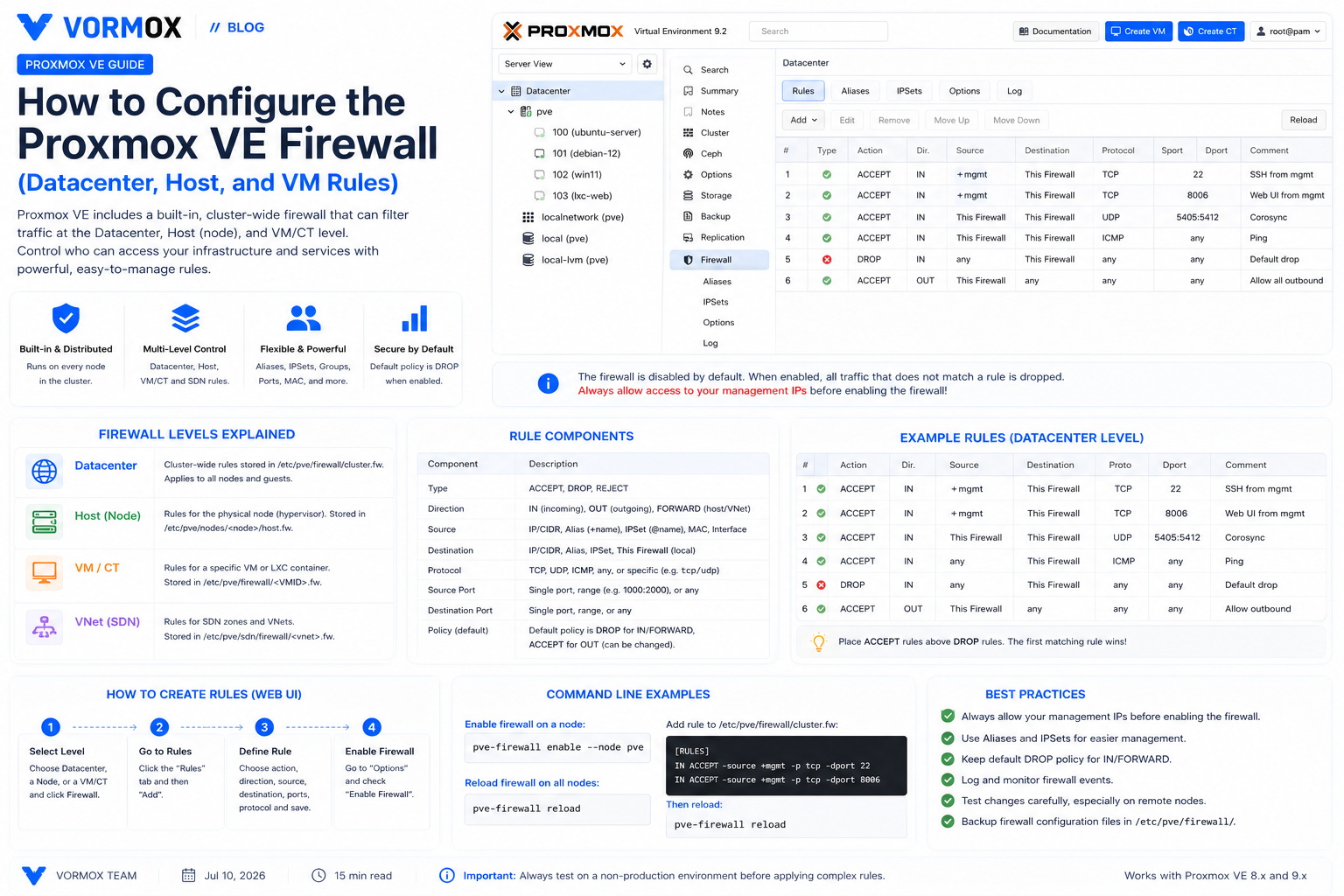
How to Configure the Proxmox VE Firewall (Datacenter, Host, and VM Rules)
A practical walkthrough of Proxmox VE's built-in firewall — datacenter, host, and VM-level rules, security groups, IPSets, and logging — with a rollout checklist that avoids locking yourself out.
Page 35 of 41