Installation
Articles in Installation.
Blog posts
How to Check If Your Hardware Supports Proxmox VE Before You Install It
Before you install Proxmox VE, spend fifteen minutes checking your CPU, RAM, storage, and BIOS settings. This guide shows the exact commands and BIOS options to check first.
A Beginner's Tour of the Proxmox VE Web Interface: Every Menu and Tab Explained
New to Proxmox VE? Here's a plain-English tour of the web interface — the resource tree, Datacenter and Node tabs, VM/CT tabs, and console options — so the rest of your Proxmox tutorials finally make sense.
How to Install Proxmox VE on a Dedicated Server (No Physical Access Required)
Renting a dedicated server instead of building your own box? Here's how to install Proxmox VE on it using your provider's remote console or the official Debian-based method, with the static IP and hostname gotchas that trip up rented hardware.
How to Install Proxmox VE on VMware Workstation (Nested Virtualization for Testing)
No spare hardware for Proxmox VE? You can run it nested inside VMware Workstation on your own laptop. This guide covers the CPU passthrough setting, networking mode, and installer steps that actually make it work, plus what won't run in this setup.
How to Install Proxmox VE on VirtualBox (Nested Virtualization for Testing and Learning)
No spare hardware? You can run Proxmox VE inside VirtualBox on your everyday laptop or desktop. This guide covers the nested virtualization settings, networking mode, and installer steps that make it actually work.
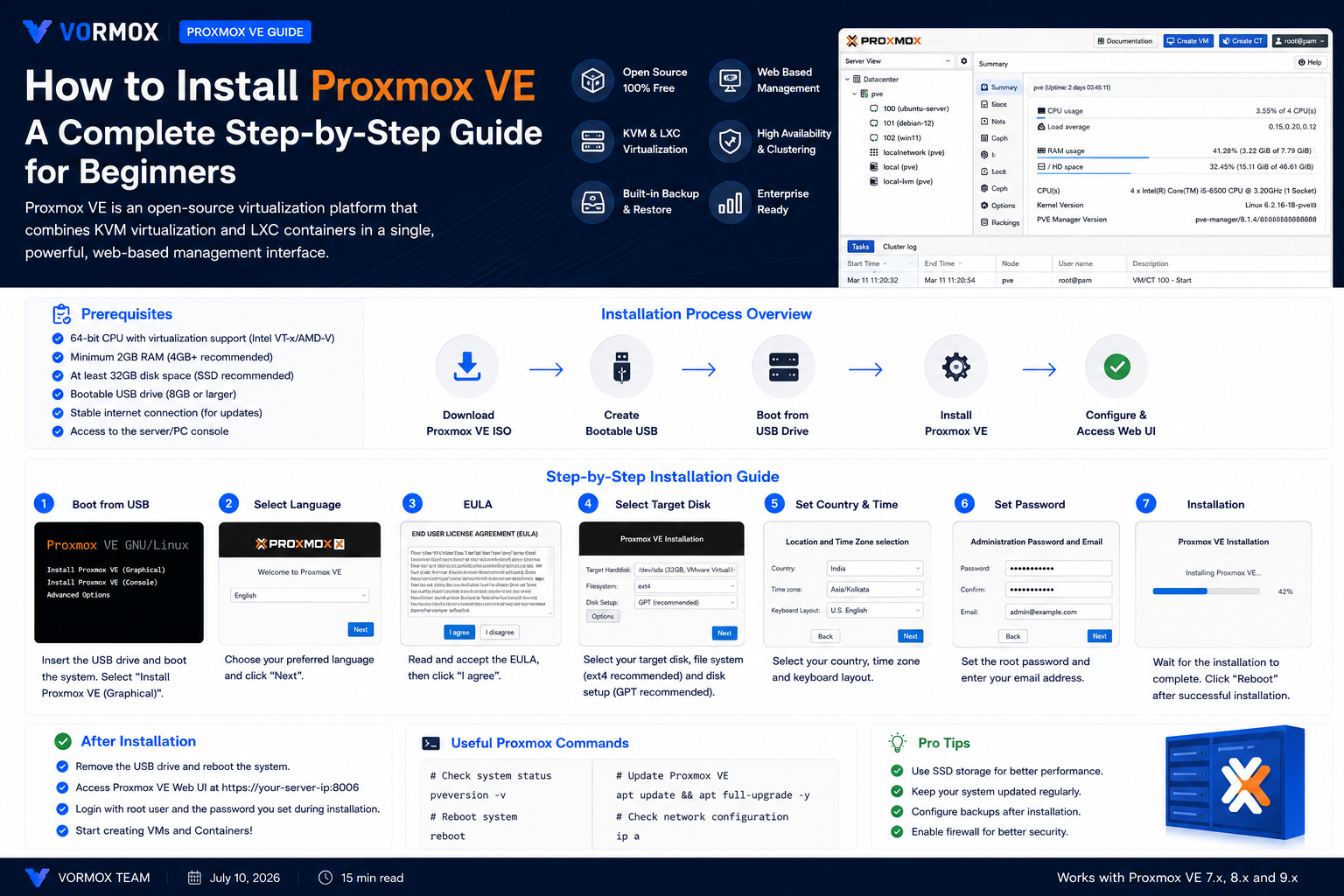
How to Install Proxmox VE: A Complete Step-by-Step Guide for Beginners
New to Proxmox? This step-by-step guide covers everything from downloading the ISO to logging into the web interface for the first time, including the BIOS settings and USB-writing mistakes that trip up beginners.
Page 3 of 3